

Random Record Chooser for CATraxx

Version 2.5.1, July 30 2011
The Problem
You have several hundreds or thousands records but you are listening always the same few. And some records never!
The Solution
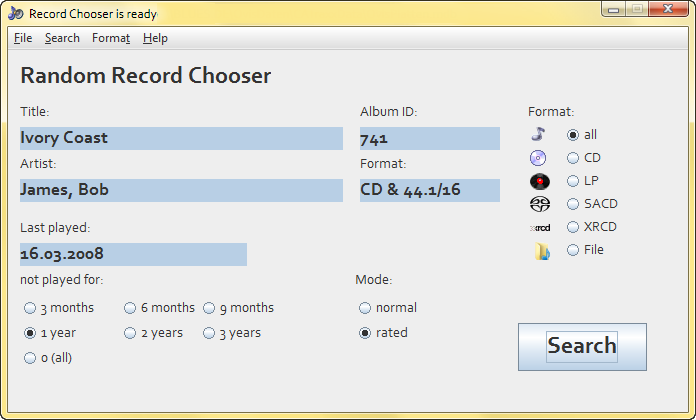
«Random Record Chooser» («RRC») chooses randomly a record for you in the CATraxx database. And if you use the field «Last Played» you can determine the meantime between listening sessions of a record.
Description
Starting
The first time you open «RRC» it asks you automatically for the CATraxx database. You can always change it later in the «File»-Menu. As soon as the connection is established you can read in the title of the application  with the path to your CATraxx database.
Just click the button «Search!» and it will find a record for you.
This program reads only and doesn't make any changes in your CATraxx database!
Options
«Not listened for»:
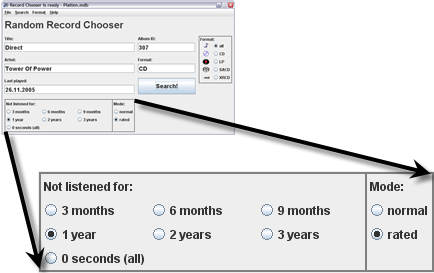
Choose the interval between the listening sessions of the same record. If the field «Last Played» is empty a record can turn up!
If Mode is set to normal «RRC» calculates the difference between «today» and the field «Last Played» of the database. If rated is chosen, the interval depends on the «Personal Rating» field in the database: 5 stars → 1 time the time difference; 4 stars → 2 times; 3 stars → 3 times; 2 stars → 4 times and 1 star → 5 times the chosen time difference.
For example if you choose 6 months and rated the time interval is: 5 stars → ½ year; 4 stars → 1 year; 3 stars → 1½ years; 2 stars → 2 years and 1 star → 2½ years. So you will hear the better records more often than the bad ones. If the field «Last Played» is empty a record can turn up!
«Format:»
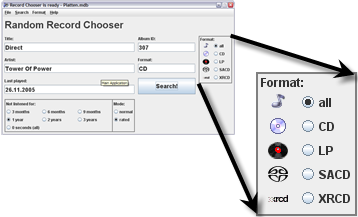
Choose the format you want to listen. (Right at the moment there are only those 5 options. If you need more, just let me know).
Hint: Because you can set the search options by yourself the database should not be too small. If the program can't find a record according to your options it will stop searching after 2000 trials. So you have to wait a few seconds!
System Requirements
Installation
If your Java environment is properly installed. Just download here the file «RandomRecordChooser.jar» in any directory you want. Double-Click on the file an the application starts!
... Donation
- And if you like this program you can make a Paypal donation. — Thanks!
Paypal Donation
Nothing is for free, not even the kiss of your wife or husband! ...and so this program. So if you think it is useful and you want to you use it in the future please feel free to make a donation in the amount of your choice by clicking on the PayPal icon:
Thank you!
You can determine how much it is worth. I'm grateful to you for any amount.
Ovi